
Day
by day
01timeline
Every trip, one timeline
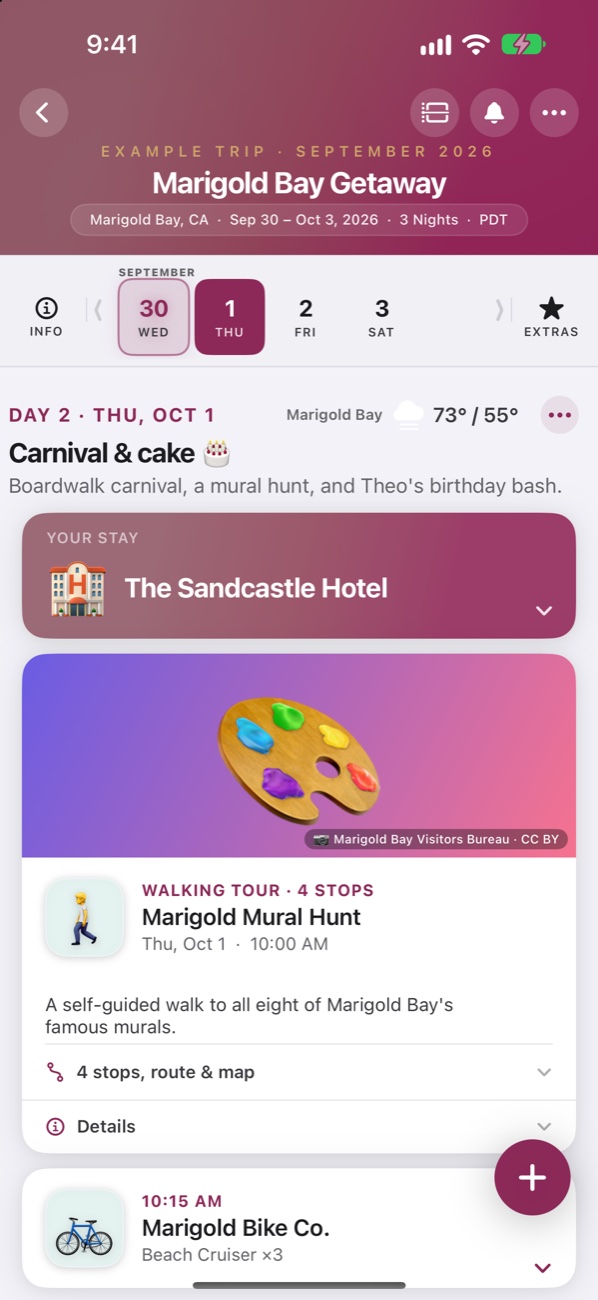
One pill per day. Tap it and everything is already there. Flights show who's flying and each seat, with live gates and delays. A stay becomes a check-in card, a nightly banner, and a checkout card.

The flight receipt, the hotel email, the screenshot of a dinner reservation. Hand them to TripScript and they land on the right day, in order, with the details you actually need. It never invents a booking. Anything it is unsure about is marked Not Booked until you confirm.
Wish you were here? You will be. Here's what's inside.
One pill per day. Tap it and everything is already there. Flights show who's flying and each seat, with live gates and delays. A stay becomes a check-in card, a nightly banner, and a checkout card.
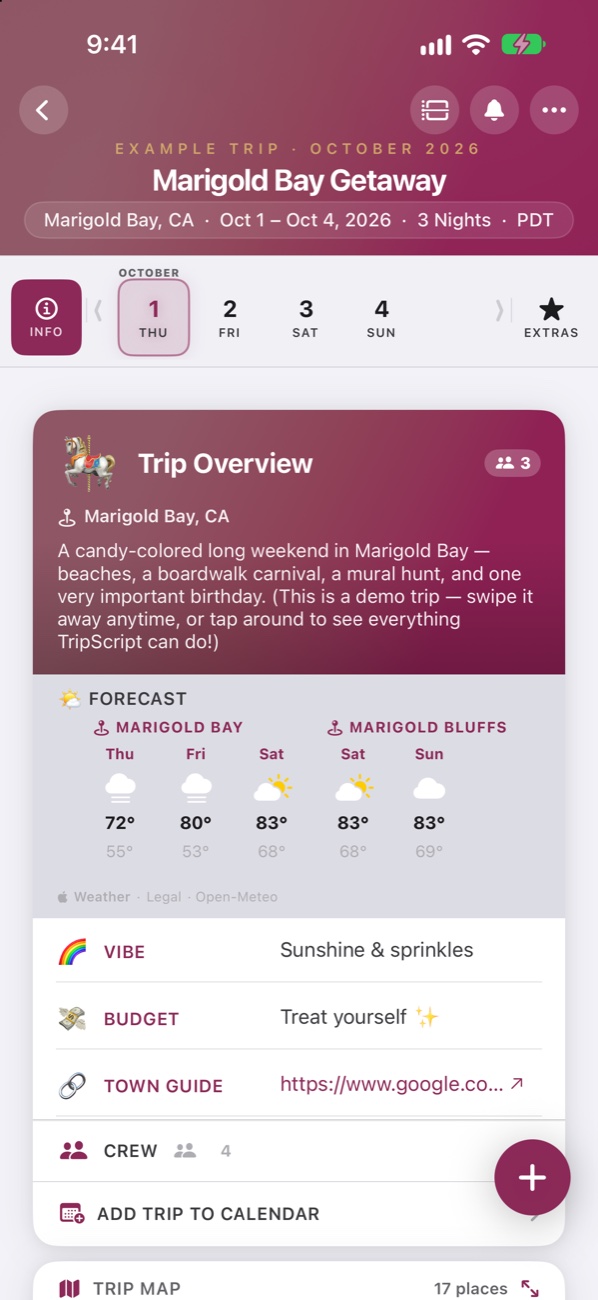
The forecast for every city you wake up in, directions a tap away, and Now & Next on your Lock Screen, in the Dynamic Island, and on your Apple Watch.
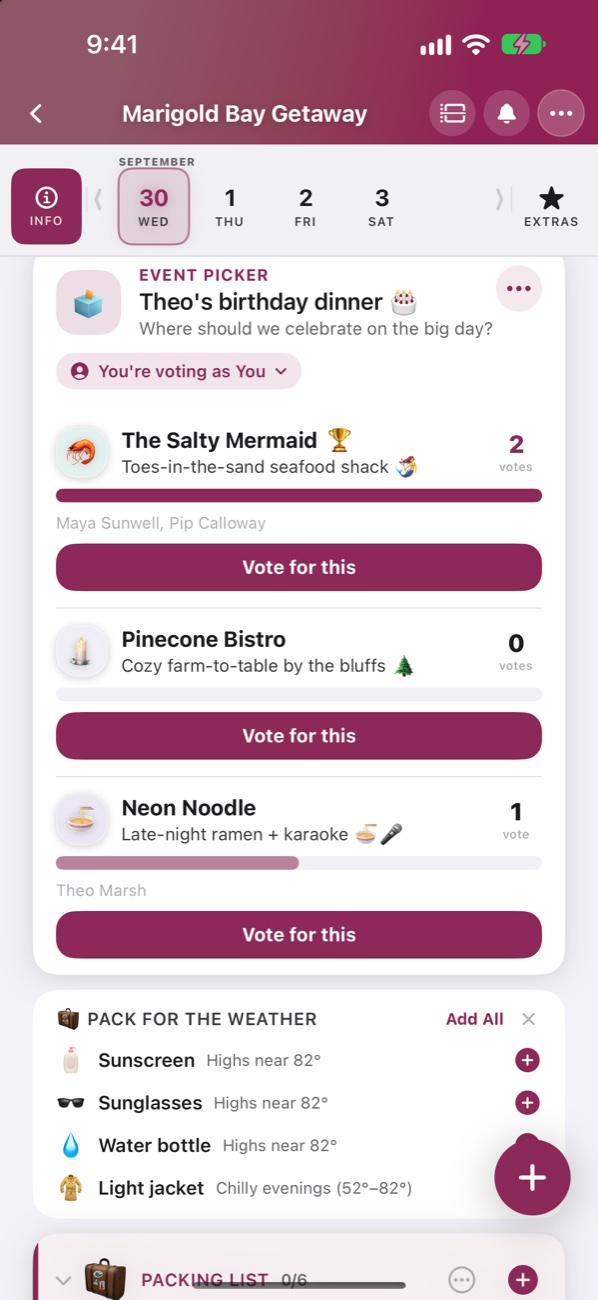
Invite your crew. The Pilot and co-pilots plan, everyone else can view, suggest, and vote on the big decisions. Joining is always free.
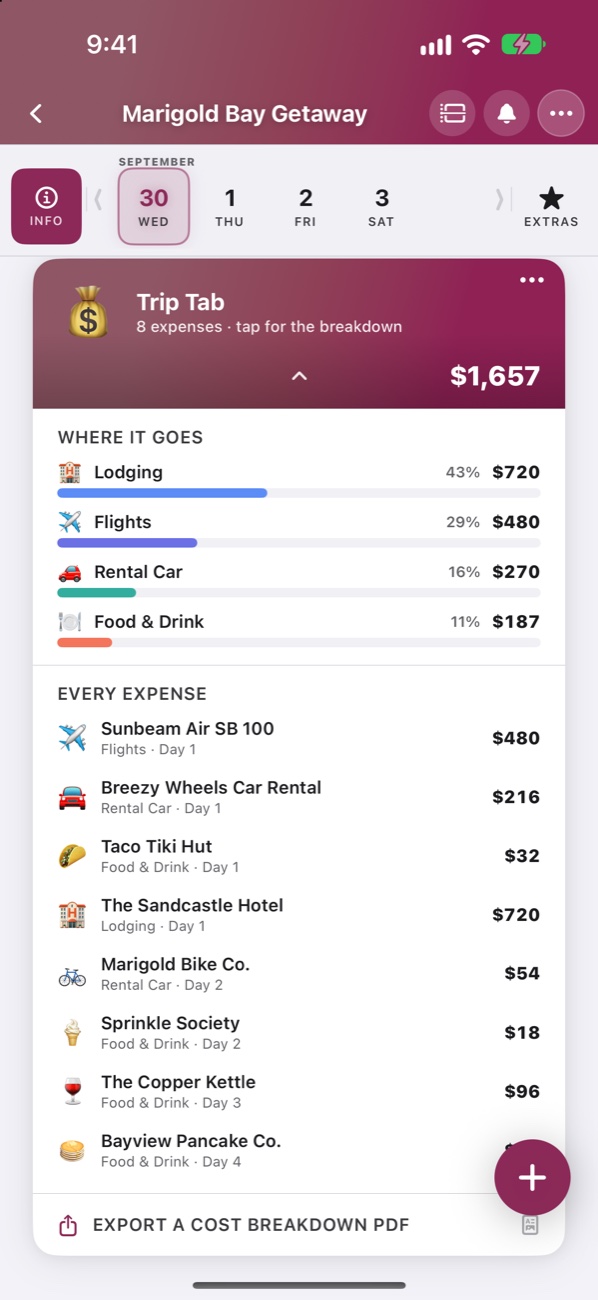
A running total by category and per person, pulled from the bookings you already imported. Export it as a printable PDF.
Photos, a journal, fun stats, star ratings, and a map of everywhere you went. Share it as an image, prints, or a PDF.
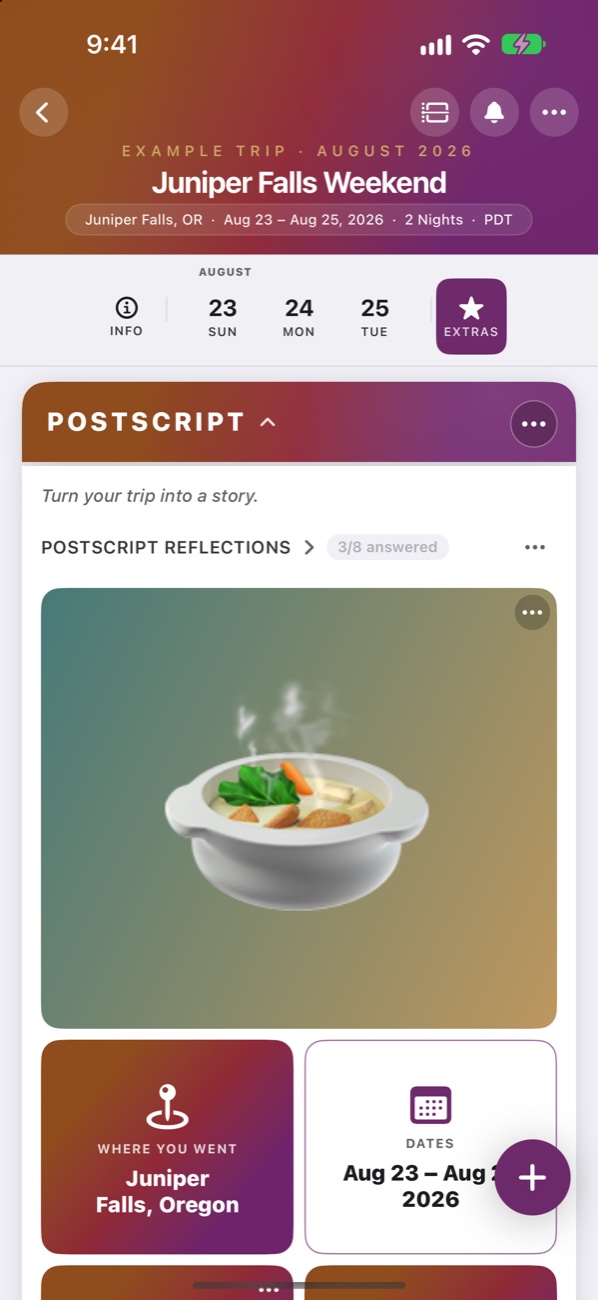
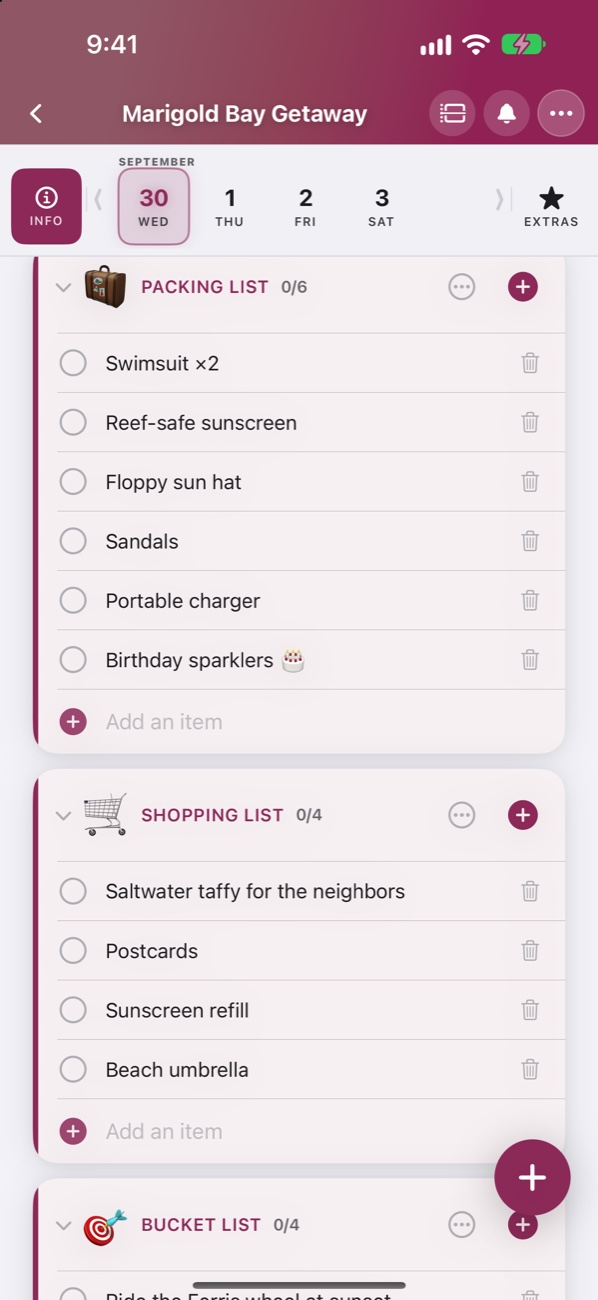
Pack for the weather with suggested lists. Trip colors, gradients, cover photos, emoji and Genmoji icons. Calendar export and JSON backup when you want it out.
The same trips, synced through iCloud, with a sidebar for every journey and room to see the whole week at once.

Mac version arriving on the Mac App Store shortly.


Everything you need to plan a trip is free. Pro unlocks the extras, once, for every device on your iCloud account.
No account, no subscription, no ads.
Everything in Free, plus:
Purchased through the App Store. Restore Purchases lives in Settings.
TripScript has no accounts and runs no servers for your trips. Imports are parsed on your device, and your data syncs through your own iCloud.
Apple Intelligence reads your confirmations right on your iPhone, iPad, or Mac. Nothing is uploaded to build a trip.
Trips live in your private iCloud. Sharing uses iCloud too, only with the people you invite.
Pro AI building uses your own key and only sends a document when you ask it to. No tracking, ever.
No. You choose what to share with it. Forward or share a confirmation, drop in a PDF or screenshot, or paste the text. TripScript never connects to your mailbox.
Yes. Devices without Apple Intelligence use a built-in parser for flights, stays, car rentals, and tickets. Apple Intelligence makes the hard cases better.
AI trip building is a Pro feature that uses your own Claude or ChatGPT API key. TripScript ships no keys and never sends anything until you start an AI action.
Yes. Joining a shared trip is always free. Only the person who creates and shares the trip needs Pro.
Your trips stay in your iCloud until you remove them. Settings → Trips → Erase Everything wipes them from every device and from iCloud.
Email [email protected] and a real person will write back. The support page has more.
Free on the App Store. Every trip has a story. TripScript is how you write it.
